
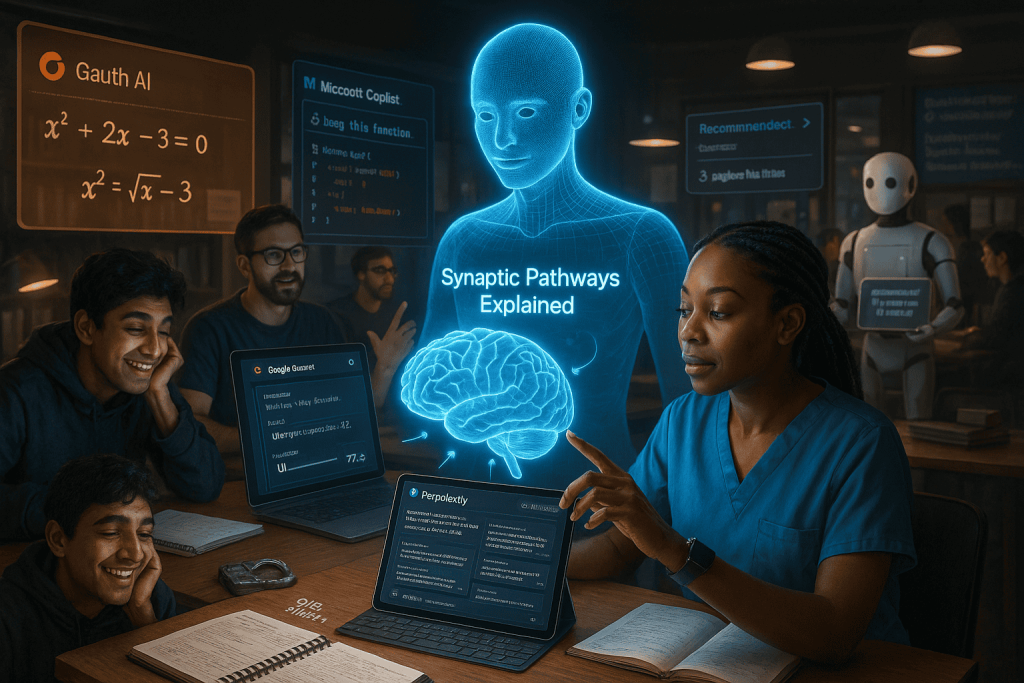
Why Look Beyond ChatGPT? Unlocking the Power of AI for Study Success
AI is rapidly reshaping how we learn, research, and master new subjects. While ChatGPT is a popular starting point, the real breakthrough comes when you explore the growing world of specialized AI study tools. From instant research summaries to interactive coding help and personalized math support, today’s AI toolbox reaches far beyond basic chatbots. Whether you’re a student, a self-learner, or a professional upgrading your skills, knowing the strengths of these tools can help you work smarter—not just harder.
1. Perplexity AI: Your Real-Time Research Assistant
What sets it apart? Perplexity AI gives you direct answers with real sources cited—making it ideal for quick fact-checks, up-to-date research, and even academic projects.
- Sources are always linked: No more guessing if an answer is accurate.
- Simple interface: Ask complex questions and get digestible, referenced answers.
- Quick summaries: Perfect for preparing presentations or understanding challenging topics on the fly.
Learn more about real-world AI use in the Prospergenics community
2. DeepSeek AI: A Free Alternative for General Chat
Why consider DeepSeek? Not every student can afford premium subscriptions. DeepSeek AI is one of the most capable free chatbots available, performing well in general learning, brainstorming, and text understanding.
- No login required: Start chatting immediately—great for quick help between classes.
- Handles various subjects: From summaries to code snippets, DeepSeek shines as a versatile study buddy.
- Privacy-friendly: Minimal data retention for worry-free research.
See how free AI tools boost learning growth
3. Microsoft Copilot: The Coding & Productivity Powerhouse
Top pick for coders, writers, and organizers. Microsoft Copilot (integrated with Edge, Windows, and Office apps) is designed to streamline workflows, autogenerate code, edit documents, and even summarize meetings.
- Coding support: Converts plain English to code (Python, Java, JS, etc.)
- Task automation: Create outlines, meeting notes, or calendar entries with a prompt.
- Tight integration: Works natively within Microsoft 365 and Windows, making it seamless for students already using these tools.
Get hands-on productivity tips for your study workflow
4. Gauth AI: Math-Savvy Support for Students
Need help with equations or problem solving? Gauth AI specializes in math—from quick arithmetic to university-level calculus. Just snap a photo of your question or type it out, and get step-by-step breakdowns.
- Visual problem solving: Upload handwritten assignments for instant solutions.
- Video explanations: For visual learners who want to see problems solved live.
- Pros: Fast, convenient, and visual. Cons: Sometimes less detailed on edge cases or advanced proofs.
5. Google Gemini: All-in-One, with Premium Video and Learning Support
Gemini (formerly Bard) is Google’s upgraded AI for students—especially those using Android or Google Workspace for school. The premium version stands out with its ability to analyze YouTube videos, answer context-rich questions, and generate diagrams or images in real time.
- Video learning: Paste a YouTube link, get a full summary, quiz, or focused explanations.
- Research Assistant: Works across Google Docs, Sheets, and Gmail for study projects.
- Multimodal inputs: Upload images, charts, or audio for integrated analysis and Q&A.
Bonus: Niche AI Tools for Every Study Need
- Quizlet AI: Turn notes into flashcards and quizzes automatically. Boosts memory and exam prep with smart, spaced repetition.
- Notion AI: Organize notes, summarize lectures, and auto-tag content for revision. Great for project management and group assignments.
- Socratic by Google: Scan textbook pages and get simplified explanations, perfect for tricky homework questions.
Comparison Table: AI Study Tools at a Glance
| Tool | Best For | Key Features | Free Version? |
|---|---|---|---|
| Perplexity AI | Research, citations | Source-linked answers, current info | Yes |
| DeepSeek AI | General chat, low-cost | No login, code/text help | Yes |
| Microsoft Copilot | Coding, Office tools | Code gen, automation, integration | Partial |
| Gauth AI | Math solutions | Visual, stepwise help | Yes |
| Google Gemini | Video learning, productivity | YouTube analysis, multimodal | Partial |
| Quizlet AI | Self-quizzing | Smart flashcards | Partial |
| Notion AI | Note-taking, productivity | Summaries, auto-tag | Partial |
How to Choose the Right AI Study Tool
- Match strengths to your needs: Coders thrive with Copilot; quick researchers love Perplexity.
- Consider your learning style: Prefer visuals? Gemini and Gauth win. Like bite-sized memory aids? Try Quizlet.
- Check privacy and data control: DeepSeek and Perplexity keep things simple and transparent.
- Blend, don’t replace: Use ChatGPT alongside these tools for best results—combine strengths for a custom workflow.
Conclusion: Supercharge Your Studies—Go Beyond Just ChatGPT
It’s never been easier to find an AI study tool tailored to your workflow, budget, and ambitions. While ChatGPT remains a powerful all-rounder, adding Perplexity, Copilot, Gemini, and others into your routine can dramatically accelerate your learning and productivity. Don’t settle for one-size-fits-all—build your own toolkit and stay ahead of the curve in 2025.
Which AI tool are you using in your study routine? Share your thoughts in the comments below!